Admin Dashboard
September 23, 2025
Updated Sep 23, 2025
Nextjs
Authjs
Tailwindcss
🔴 Live Demo
Visit the deployed app here: admin-dashbard-mauve.vercel.app
🚀 Features
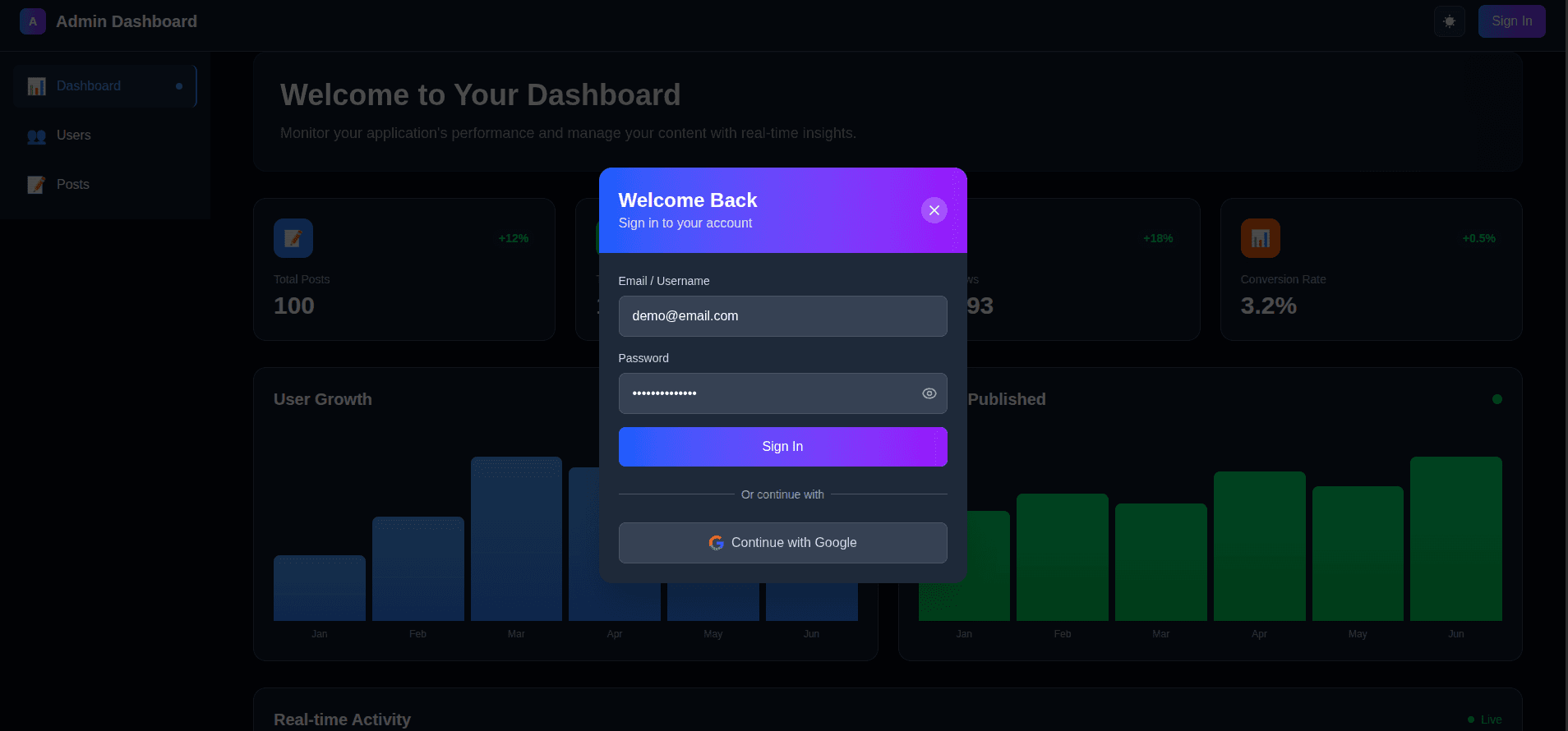
🔐 Authentication System
- NextAuth.js Integration: Secure authentication with multiple providers
- Credentials Login: Username/password authentication with demo credentials
- Google OAuth: One-click Google sign-in
- Auto-login Modal: Automatic login prompt for unauthenticated users
- Session Management: Persistent user sessions with proper state handling
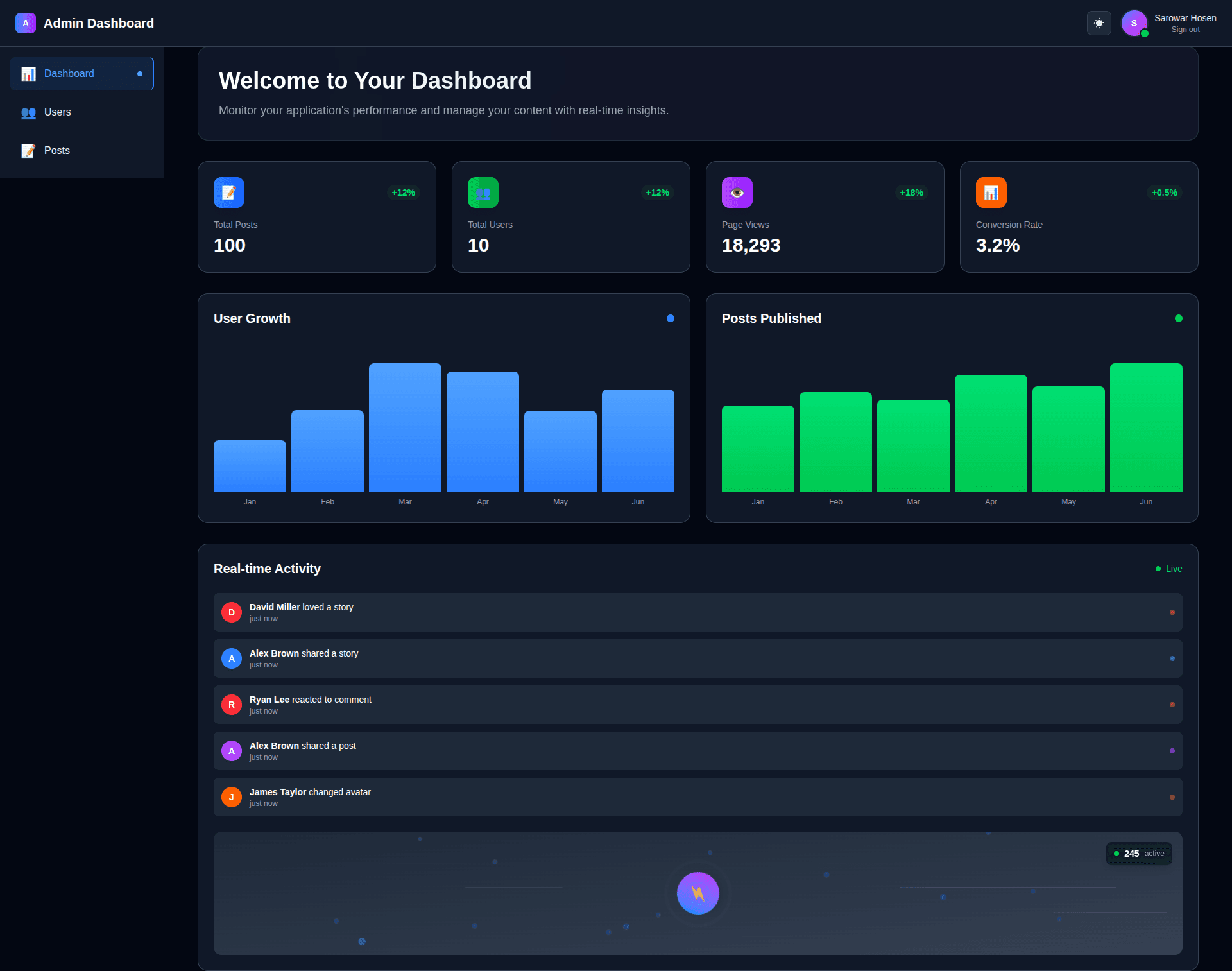
📊 Dashboard Components
- Real-time Activity Feed: Live user activity with animated indicators
- Statistics Grid: Key metrics with animated counters and trend indicators
- Interactive Charts: Data visualization with smooth animations
- Welcome Section: Personalized dashboard greeting
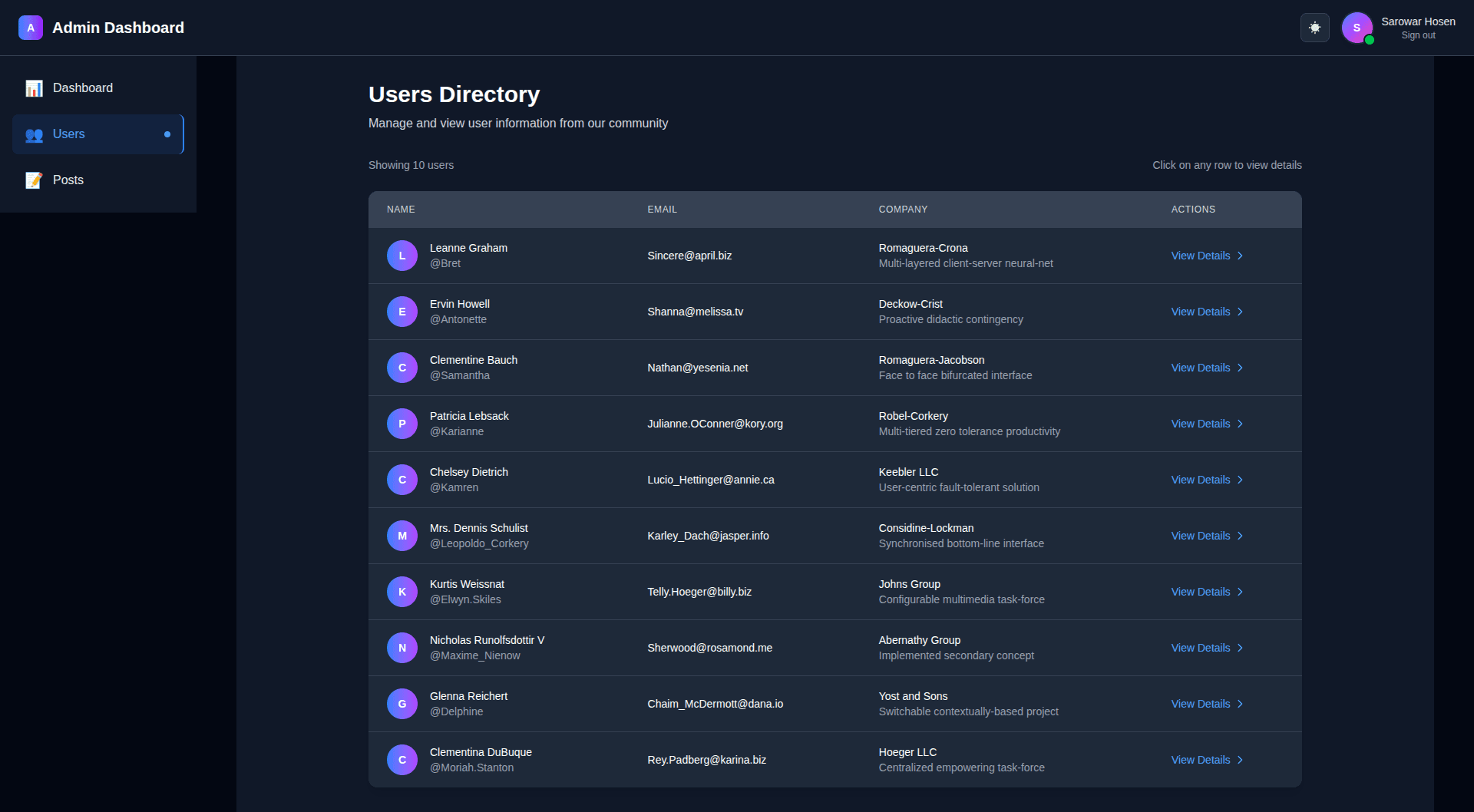
👥 User Management
- Users Directory: Complete user listing with responsive table
- User Details Modal: Detailed user information with smooth animations
- Responsive Design: Works perfectly on all devices
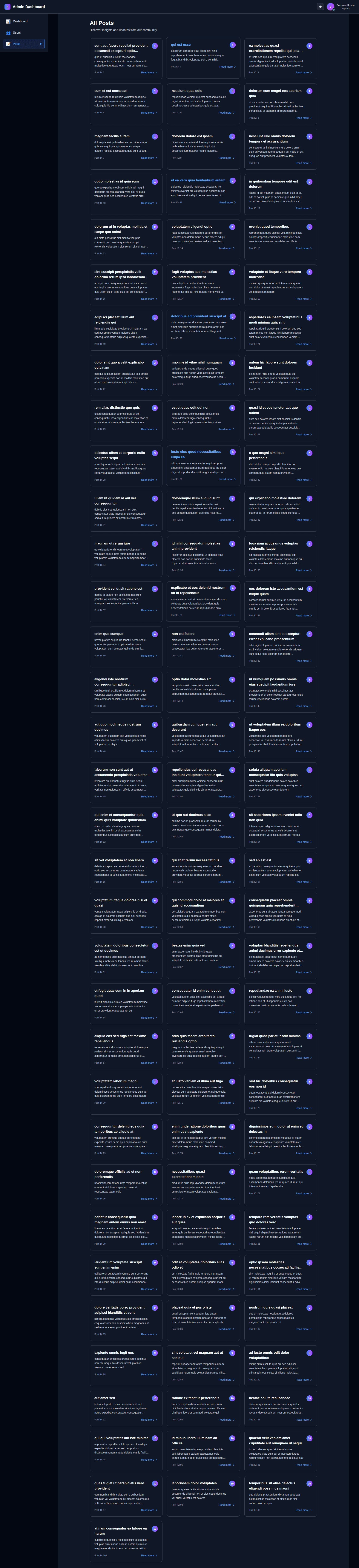
📝 Posts Management
- Posts Listing: Grid layout with beautiful post cards
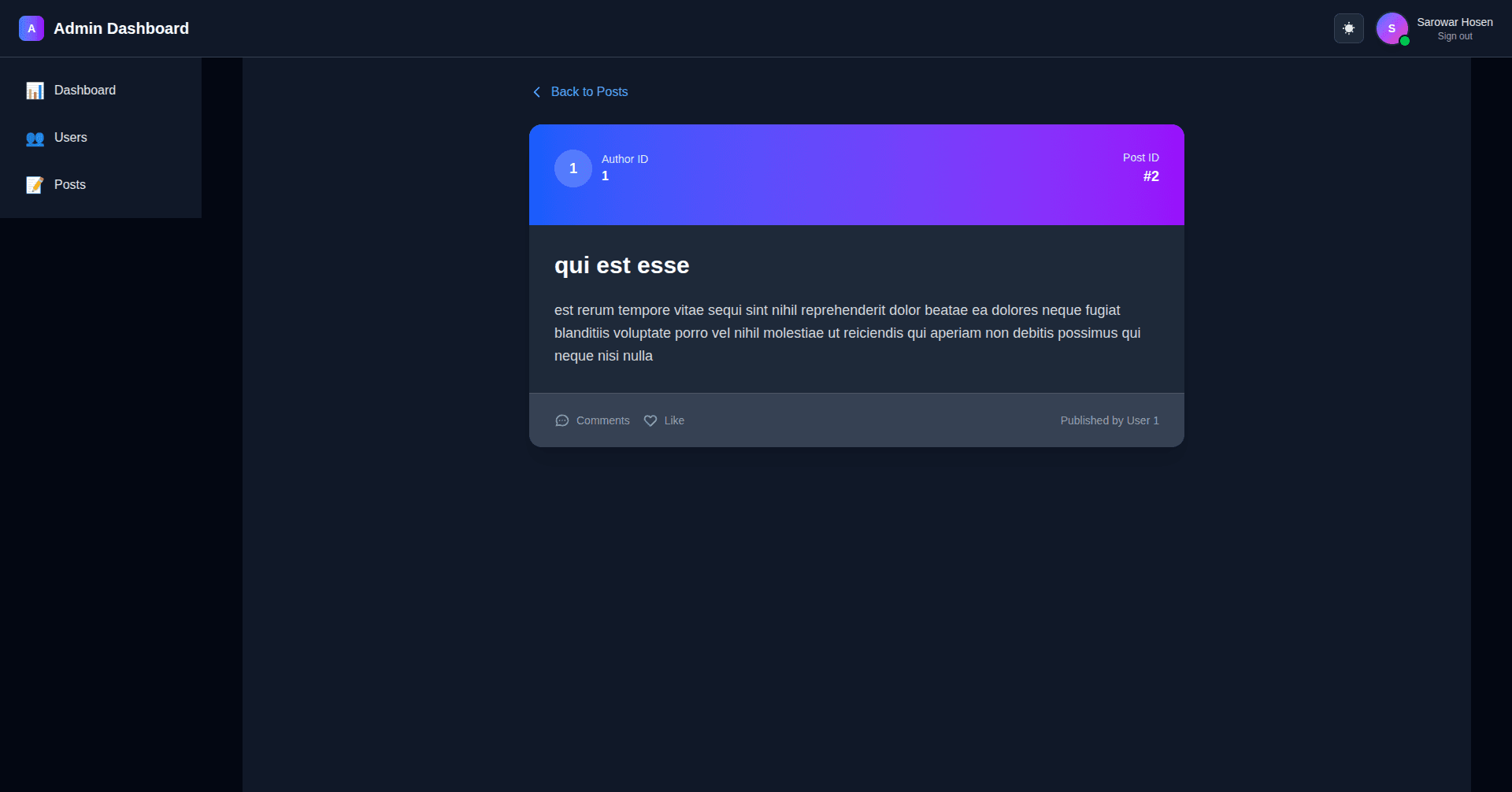
- Post Details: Individual post pages with full content
- Dynamic Routing: SEO-friendly URLs for each post
- Loading States: Smooth loading animations and error handling
🎨 UI/UX Features
- Dark Mode: Complete dark/light theme support
- Framer Motion: Smooth animations throughout the app
- Responsive Design: Mobile-first approach
- Modern Components: Reusable, well-structured components
- Accessibility: ARIA labels and keyboard navigation
🛠️ Tech Stack
- Framework: Next.js 15 (App Router)
- Language: TypeScript
- Styling: Tailwind CSS
- Animations: Framer Motion
- Authentication: NextAuth.js
- State Management: React Hooks
- API: JSONPlaceholder (for demo data)
- Icons: Heroicons
📦 Installation
-
Clone the repository
git clone <repository-url> cd admin-dashboard-test -
Install dependencies
npm install -
Set up environment variables Create a
.env.localfile in the root directory:AUTH_GOOGLE_ID=your_google_client_id AUTH_GOOGLE_SECRET=your_google_client_secret NEXTAUTH_URL=http://localhost:3000 NEXTAUTH_SECRET=your_secret_key -
Run the development server
npm run dev -
Open your browser Navigate to http://localhost:3000
🔑 Demo Credentials
The application comes with pre-configured demo credentials:
- Email/Username:
demo@email.com - Password:
strongPassword
These credentials are automatically filled in the login form for easy testing.
📱 Pages & Routes
Main Dashboard (/)
- Overview of key metrics and statistics
- Real-time activity feed
- Interactive charts and visualizations
Users (/users)
- Complete user directory
- Responsive table with user information
- Click any row to view detailed user information in a modal
Posts (/posts)
- Grid layout of all posts
- Click any post card to view full post details
- Dynamic routing for individual posts (
/posts/[id])
🎯 Key Components
Authentication
LoginModal: Beautiful login form with show/hide passwordNavbar: Navigation with user profile and authentication status
Data Display
UsersTable: Responsive table for user dataUserModal: Detailed user information modalPostCard: Reusable post display componentStatsGrid: Animated statistics display
UI Components
LoadingSpinner: Reusable loading componentErrorMessage: Error display componentNotFoundMessage: 404-style componentBackButton: Animated back navigation
Custom Hooks
useFetch: Generic API data fetching hookuseUsers: User data managementusePosts: Post data managementuseRealtimeActivity: Real-time activity simulation
🎨 Design System
Colors
- Primary: Blue gradient (
from-blue-500 to-purple-600) - Success: Green (
green-500) - Error: Red (
red-500) - Warning: Orange (
orange-500)
Typography
- Headings: Bold, clear hierarchy
- Body: Readable, accessible font sizes
- Code: Monospace for technical content
Spacing
- Consistent spacing using Tailwind's spacing scale
- Responsive padding and margins
- Proper component spacing
🔧 Development
Project Structure
├── app/
│   ├── components/          # Reusable UI components
│   ├── hooks/              # Custom React hooks
│   ├── posts/              # Posts pages and routing
│   ├── users/              # Users pages
│   └── layout.tsx          # Root layout
├── auth/                   # Authentication configuration
├── data/                   # Static data and configuration
└── public/                 # Static assets
Code Quality
- TypeScript: Full type safety
- ESLint: Code linting and formatting
- Component Architecture: Modular, reusable components
- Custom Hooks: Logic separation and reusability
🚀 Deployment
Vercel (Recommended)
- Push your code to GitHub
- Connect your repository to Vercel
- Set environment variables in Vercel dashboard
- Deploy automatically
Other Platforms
The app can be deployed to any platform that supports Next.js:
- Netlify
- AWS Amplify
- Railway
- DigitalOcean App Platform
🤝 Contributing
- Fork the repository
- Create a feature branch (
git checkout -b feature/amazing-feature) - Commit your changes (
git commit -m 'Add some amazing feature') - Push to the branch (
git push origin feature/amazing-feature) - Open a Pull Request
📄 License
This project is licensed under the MIT License - see the LICENSE file for details.
🙏 Acknowledgments
- Next.js for the amazing React framework
- Tailwind CSS for the utility-first CSS framework
- Framer Motion for smooth animations
- NextAuth.js for authentication
- JSONPlaceholder for demo data
📞 Support
If you have any questions or need help with the project, please:
- Open an issue on GitHub
- Check the documentation
- Review the code comments
Built with ❤️ using Next.js, TypeScript, and Tailwind CSS